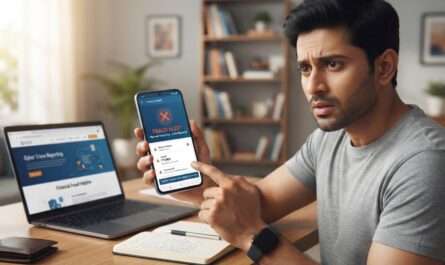
Scanning a QR code is convenient because it avoids typing a payment address, but that convenience can also make people act too quickly. The code contains payment information; it does not prove that the person showing it is honest. A sticker can be replaced, an image can be forwarded from an unknown account and a fake refund story can pressure you into authorising a payment.



This guide focuses on the moment before you press Pay. Small checks can prevent errors, while prompt reporting is essential when money has already gone to a suspicious recipient.
Understand payment direction first
A common fraud story says you must scan a code and enter your UPI PIN to receive a refund, prize or payment. In the ordinary push-payment flow, scanning a merchant QR and approving the transaction sends money rather than receiving it. Do not authorise a payment because somebody claims that doing so will credit your account.
UPI supports several payment and request flows, so watch what your app actually says: Pay, Send, Collect, Approve or Decline. Read the transaction screen instead of relying on the caller’s interpretation.
Check the payee shown after scanning
Before continuing, compare the recipient’s displayed name or identifier with the merchant you intend to pay. At a physical shop, ask the cashier to confirm the expected business details and amount. Do not assume a printed QR sticker has remained unchanged since the shop installed it.
At an online checkout, verify the merchant website and order total. A QR sent through a random social account or urgent direct message deserves extra scrutiny. A correct-looking logo on an image is not proof that the payment destination belongs to that brand.
Watch for altered QR stickers
A fraudster can place another QR image over a legitimate shop or donation code. Customers may then send money to the wrong recipient without noticing. If a sticker looks tampered with or the payee name is unexpected, stop and ask the merchant to show an alternative verified payment method.
Do not take a photo of a stranger’s QR and pay later without confirming the destination. When possible, complete the transaction while the legitimate recipient can check the amount in their own account or authenticated merchant system.
A QR does not always mean the same thing
QR codes can encode payment addresses, websites or other data. A code that opens a web page may lead to a phishing site rather than a payment screen. Check the domain and do not enter banking passwords into an unfamiliar site reached through a poster or forwarded message.
For ordinary UPI transactions, complete any authorisation inside a trusted payment app. Do not install remote-support software or screen-sharing tools merely because a seller says payment verification failed.
If payment went to the wrong person
Save the transaction ID, amount, date, payee details and any conversation screenshots. Contact your UPI app or bank through an official channel and raise a complaint immediately. A completed authorised transfer is not guaranteed to be reversed; prompt reporting gives the provider information to investigate.
For suspected financial cybercrime in India, the National Cyber Crime Reporting Portal and helpline 1930 are official channels. Also report the issue to your bank. Avoid “recovery agents” asking for another payment to release lost money.
Common pressure tactics to ignore
Scammers may say a courier refund, marketplace sale or job registration requires scanning a code. Others create urgency by claiming a payment link will expire immediately. These stories are designed to move attention away from the amount and recipient on the approval screen.
Slow down whenever you hear “enter your PIN to receive money” or “send ₹1 to activate your refund.” Our UPI collect-request guide explains another form of payment-direction confusion.
Safety checklist at checkout
- Use a trusted payment app and keep it updated.
- Check the recipient’s name and UPI ID after scanning.
- Confirm the exact amount and whether money is leaving your account.
- Never disclose UPI PIN or OTP to a person.
- Reject unexplained requests to scan for a refund.
- Retain the transaction reference for later questions.
NPCI provides general payment guidance in its official UPI FAQs. Bank interfaces may display some fields differently, but verification of amount and destination remains essential.
Frequently asked questions
Do I normally enter a UPI PIN to receive an ordinary payment?
No. Be suspicious of claims that PIN entry is needed to receive money through an ordinary payment.
Can a printed QR sticker be changed?
Yes. Verify the recipient in the payment app, particularly when the sticker looks altered.
Is money automatically refunded if I scan a scam QR?
No. Report promptly and follow the bank or app’s investigation process.
Bottom line
The code is only a shortcut to information. Your final defence is checking the destination and amount on the actual payment screen before authorising anything.